FordParts
My Garage
My Account
Cart
2000 Lincoln LS Traction Control
Currently shopping for
2000 Lincoln LS
Change VehicleVehicle Options
BaseVehicle Options
BaseCategories Close X
Currently selected
Brakes
Other Categories
A/C & Heating
Air & Fuel Delivery
Belts & Cooling
Body & Hardware
Charging & Starting
Driveline & Axles
Electrical
Emission Control & Exhaust
Engine
Headlights & Lighting
Interior & Exterior Trim
Maintenance & Lubrication
Steering
Suspension
Transmission
How to use OE catalog
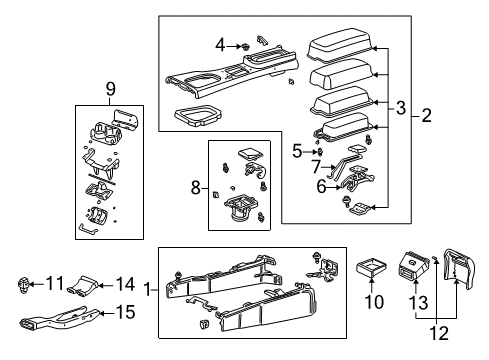
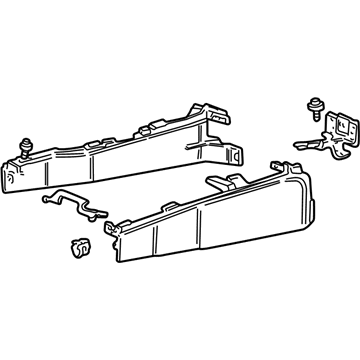
Diagram (1 of 1): Console - Console
Sort by:
Ref No.
Ref No.
Part No. & Part Description
Price & Qty.
Part No. &
Part Description
Part Description
- 1
- 1
- 1
- 1
- 1MSRP: $14.19 Your Price: $10.251
- 1
- 2
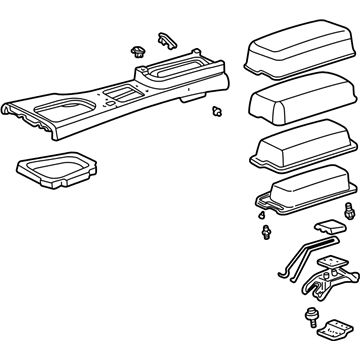 XW4Z54044D90AAA
Panel Assembly, ConsoleUpper Trim Panel- Part Notes: 2000-02, Auto Transmission, With Single Cup Holder, Without Phone
- 2XW4Z54044D90LAC
Panel Assembly, ConsoleUpper Trim Panel- Part Notes: 2000-02, Manual Transmission, Without Phone
- 2XW4Z54044D90MAC
Panel Assembly, ConsoleUpper Trim Panel- Part Notes: 2000-02, Manual Transmission, With Phone
- 2XW4Z-54044D90-PAC
Panel Assembly - ConsoleUpper Trim Panel- Part Notes: 2000-02, Auto Transmission, With Dual Cupholder, Without Phone
- 3
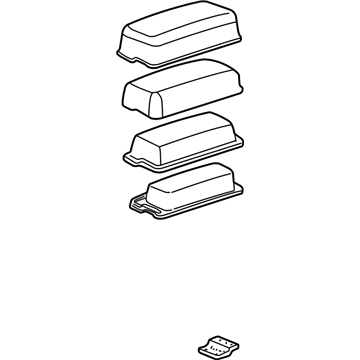 XW4Z-5406024-AAA
Armrest Assembly - ConsoleArmrest Assembly- Part Notes: 2000-02, Without Phone, Parchment
- 3XW4Z-5406024-AAB
Armrest Assembly - ConsoleArmrest Assembly- Part Notes: 2000-02, Without Phone, Dark Greystone
- 3XW4Z-5406024-AAC
Armrest Assembly - ConsoleArmrest Assembly- Part Notes: 2000-02, Without Phone, Graphite
- 3XW4Z-5406024-AAD
Armrest Assembly - ConsoleArmrest Assembly- Part Notes: 2000-02, Without Phone, Deep Charcoal
- 3XW4Z-5406024-BAA
Armrest Assembly - ConsoleArmrest Assembly- Part Notes: 2000-02, With Phone, Parchment
- 3XW4Z-5406024-BAB
Armrest Assembly - ConsoleArmrest Assembly- Part Notes: 2000-02, With Phone, Dark Greystone
- 4

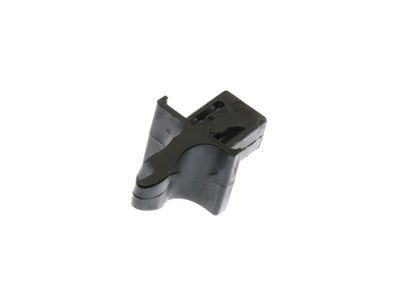
- 5

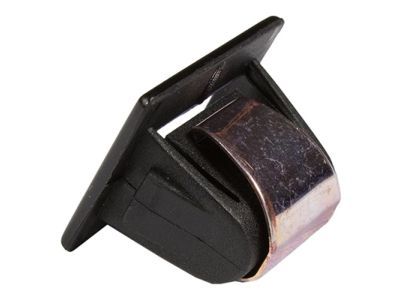
 MSRP: $34.22 Your Price: $24.12
- 8
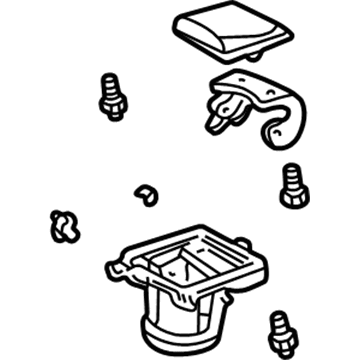
- 8XW4Z5413562AAG
Holder Assembly - Beverage FrontCup Holder- Part Notes: 2000-02, Single Cup Holder, Dark Greystone
- 8XW4Z5413562AAH
Holder Assembly - Beverage FrontCup Holder- Part Notes: 2000-02, Single Cup Holder, Graphite
- 8XW4Z5413562AAJ
Holder Assembly - Beverage FrontCup Holder- Part Notes: 2000-02, Single Cup Holder, Deep Charcoal
- 11

- 11
- 12
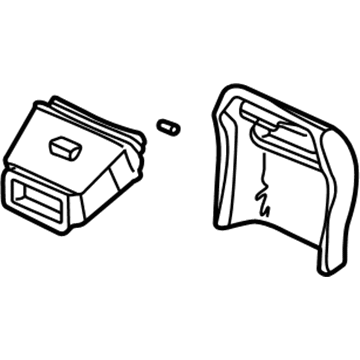
- 12XW4Z54045E24AAB
Panel - ConsoleRear Panel Trim- Part Notes: 2000-02, Without Power Outlet, Dark Greystone
- 12
- 12XW4Z-54045E24-AAD
Panel - ConsoleRear Panel Trim- Part Notes: 2000-02, Without Power Outlet, Deep Charcoal
OEM 2000 Lincoln LS Parts for Traction Control
Genuine OEM 2000 Lincoln LS parts are made using the original design, the high standards, in the Lincoln official factories, and all of these ensure that they always fit perfectly and easily. FordPartsDeal.com is a trusted source for finding these authentic OEM Traction Control parts at very competitive prices. Our professional team is here to help you choose the right 2000 Lincoln LS parts, and our fast delivery options ensure that your parts are always delivered quickly.
Center Console Base Installation and Repair Tips for 2000 Lincoln LS
- Q:How to Remove and Service the Center Console Base for Automatic Transmission on 2000 Lincoln LS?A:To service the automatic transmission console, set parking brake and selector to neutral; disconnect battery ground. Remove ashtray and console finish panels; unplug electrical, phone (if equipped) and traction-control connectors. Unclip rear panel and parking-brake boot, remove fasteners and A/C duct screw, slide console rearward to remove; reverse to install.